Information Architecture and Taxonomy of
Government Services
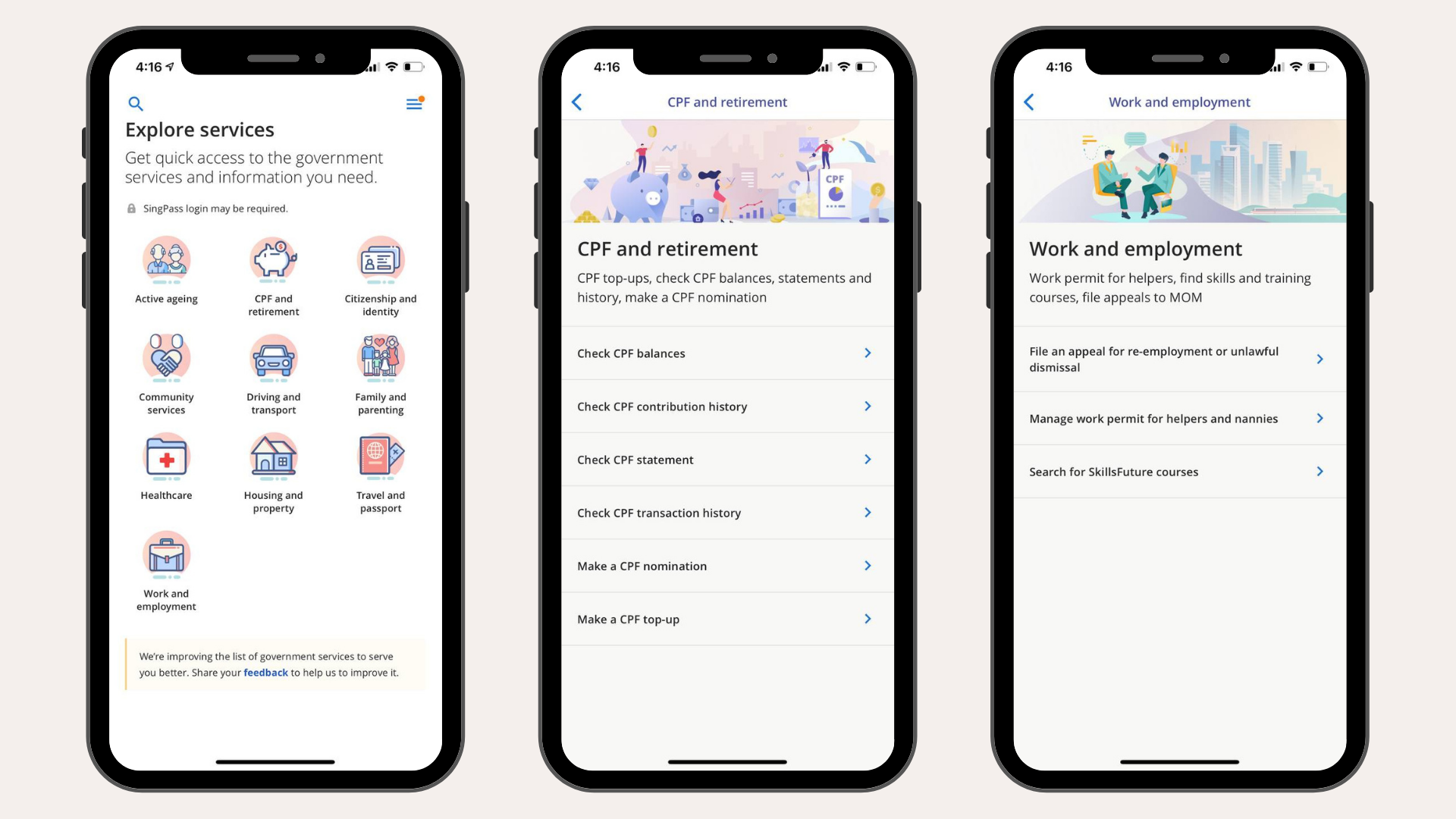
In May 2020, the ‘Moments of Life’ app was rebranded into the ‘LifeSG’ app to include access to more than 40 government services in one, single platform.
To achieve this, I proposed an overhaul of the app’s existing Information Architecture (IA) and worked with taxonomy experts to develop clear guidelines for naming government services. With the design team, we also organised 40 to 60 government services into new categories.
CHALLENGE
Make it quick and easy for citizens to find the government services they need. Create clear and intuitive labels for service categories and names so users can quickly understand and figure out navigation.
SOLUTION
I proposed an overhaul of the app’s existing information architecture and worked with taxonomy experts from the National Library Board (NLB) to name and categorise government services.
HOW I HELPED
Led the design of Information Architecture for the ‘Explore services’ feature and created Naming Guidelines for Government Services
Engaged taxonomy experts to audit, review and give feedback to our existing service categories and labels
Planned and conducted tree-testing to improve the navigation and IA iteratively
Process — Taxonomy Principles and Tree-Testing
Taxonomy and Naming of Government Services


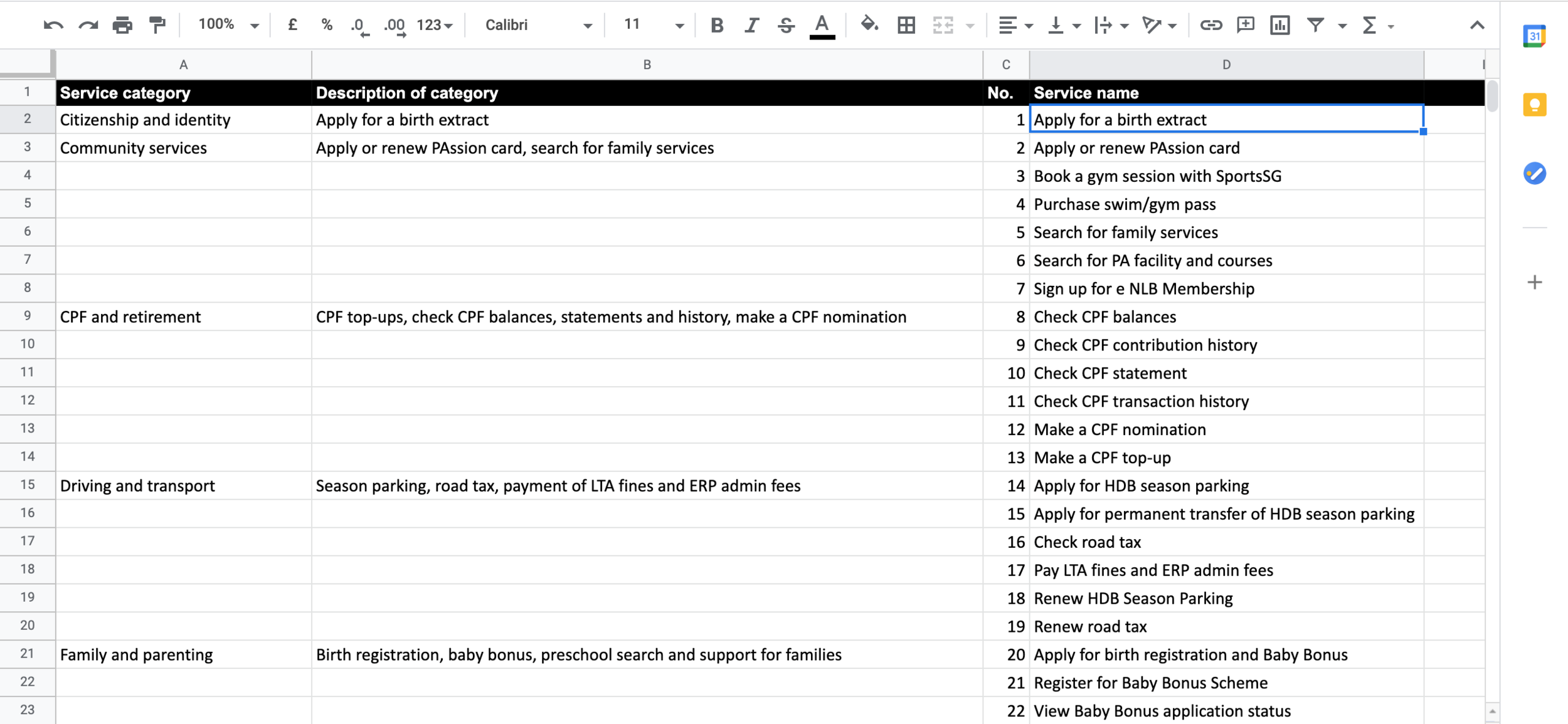
After many discussions with taxonomy experts from NLB, we created service categories based on high-level topics and removed duplicates. Later on, I proposed Naming Guidelines that:
describe a clear task instead of the name of scheme or programme
include words that citizens use to describe certain services
At the end of the project, I delivered a spreadsheet with the proposed service categories, descriptions and service names.
We were able to do this before the feature was live, so we did not need to create a complicated migration plan. However, there were many requests for edits, for removal or addition of government services— all changes were tracked in the spreadsheet and shared with engineers.
Tree-testing to improve user navigation of ‘Explore Services’
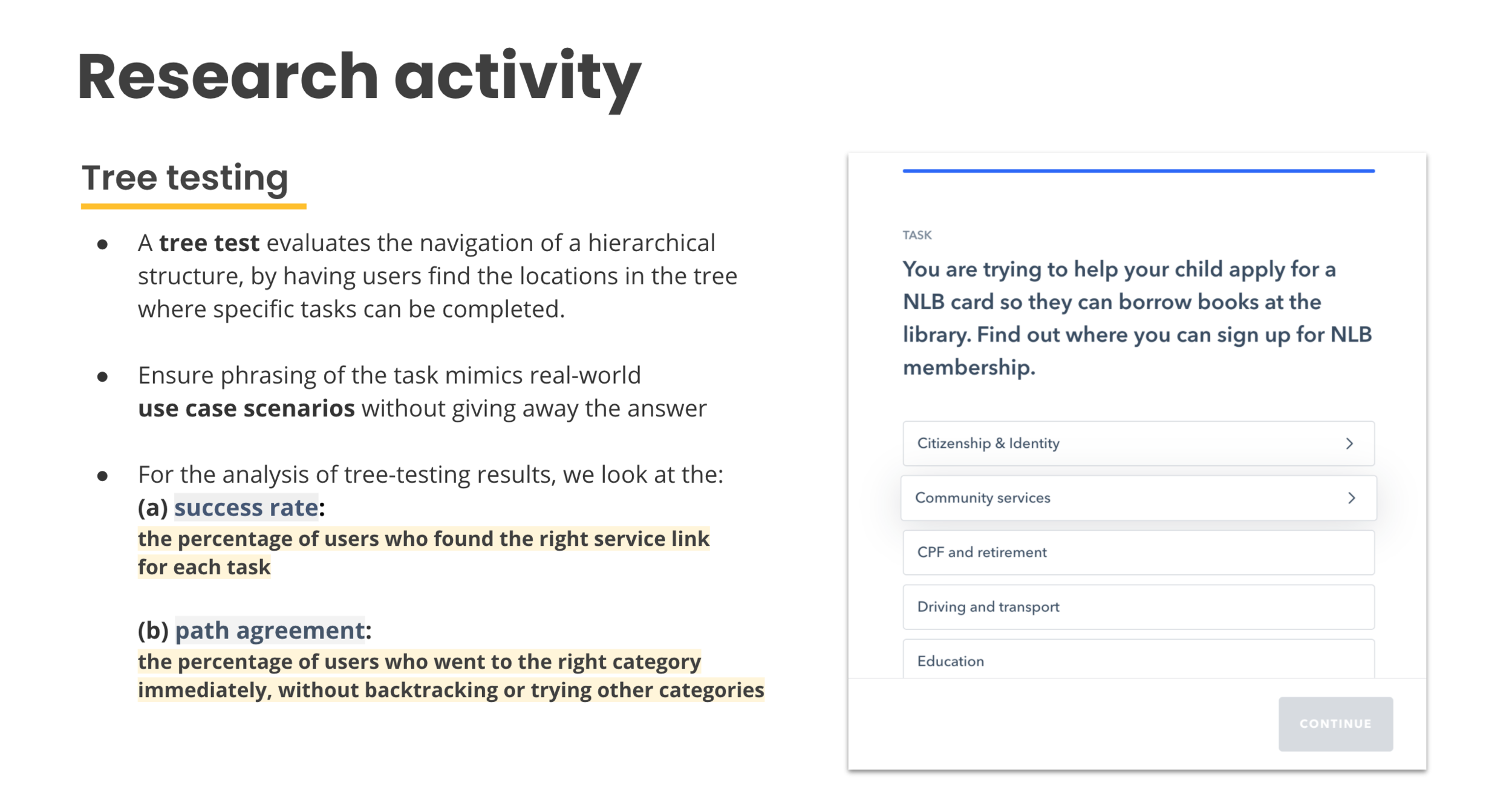
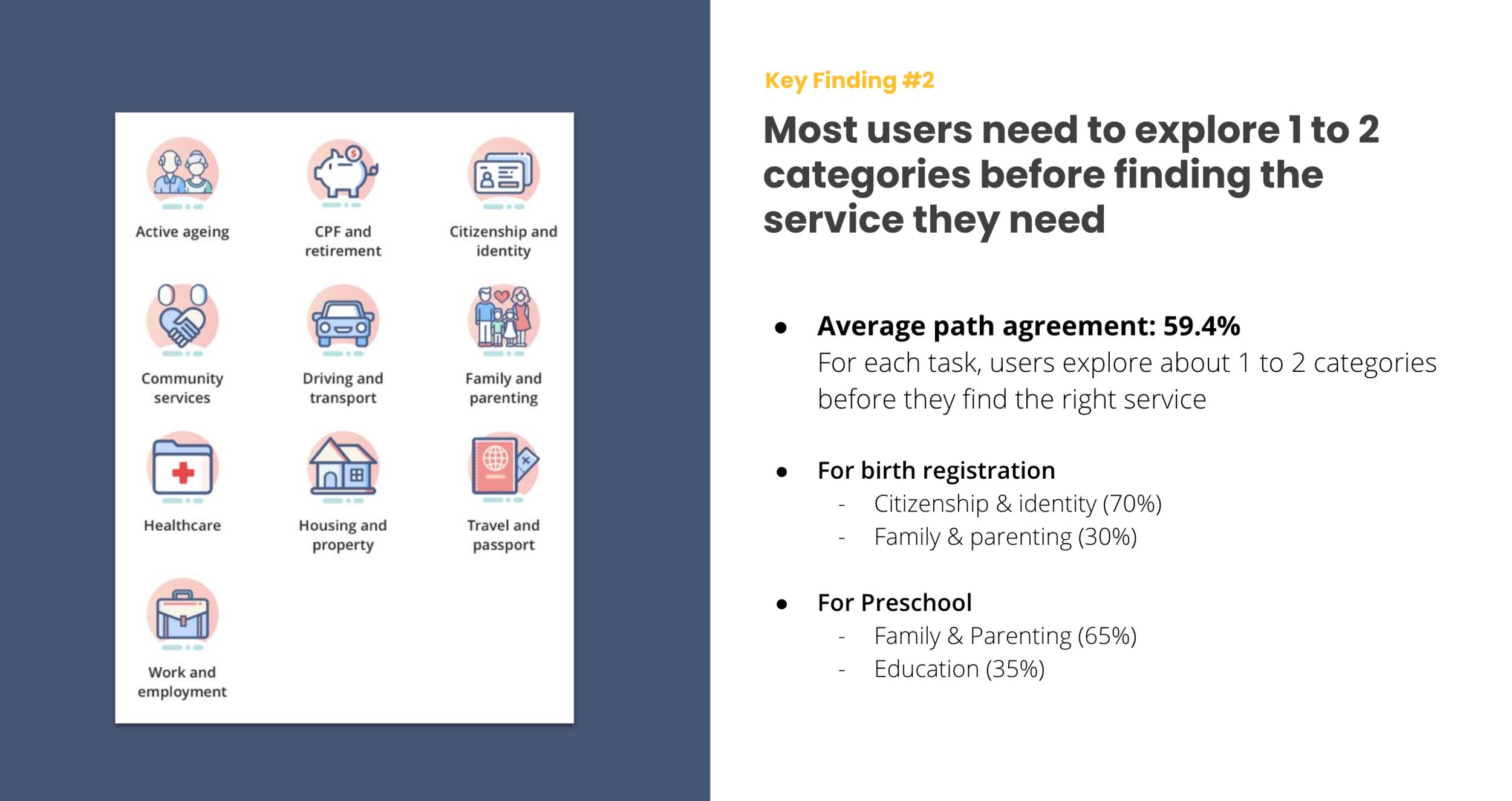
After deciding on the categories we were going to use for ‘Explore services’ in LifeSG, I created a research plan to test and evaluate the information architecture.
Using Maze, we created a series of 16 task-based questions and invited users from different age profiles to try and locate the services they need.
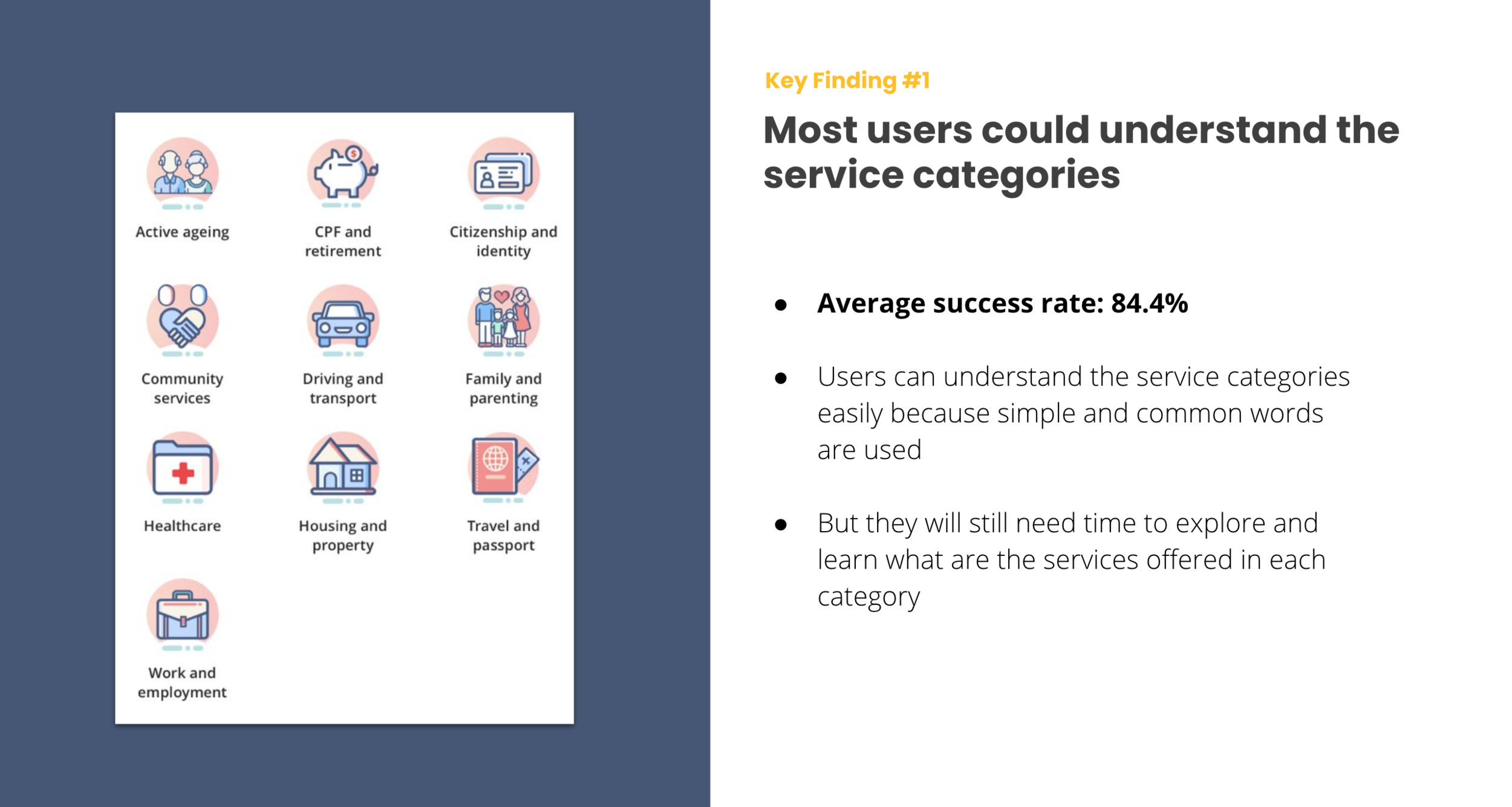
Outcome
After many months of meetings, discussions and many hours spent staring at spreadsheets, we were able to:
confirm that most users could understand the service categories and find what they needed within 3 to 4 clicks
define guidelines for naming and choosing government services to include or remove
create a clear workflow between designers, managers and engineers to manage the list of government services for the ‘Explore services’ feature.
No doubt, there are hundreds of government services in Singapore and this is still very much work-in-progress. Hopefully, we were able to bring convenience and value to people by delivering this feature well.